Bring AI Home: A Beginner's Guide to Running LLMs Locally

DeepSeek R1 has been all the rage lately — have you tried it yet? What you might not realize is that you don't actually need a high-end server or deep technical expertise. Even an ordinary personal computer can run powerful language models! In this post, I'll walk you through deploying a model locally using LM Studio. It's completely beginner-friendly — let's dive in!
There's already a web version — so why bother with a local model?
Local deployment offers significant advantages over online APIs. First, privacy and security: all your conversations and sensitive data stay entirely on your machine. Second, cost control: after the initial hardware investment, ongoing usage is essentially free — especially attractive if you use AI frequently. Third, offline access: no more worrying about network latency or API rate limits. Most importantly, you get full control — you can tweak model parameters and system prompts to suit your exact needs. In short, running a model locally gives you advantages in privacy, cost, and freedom. The trade-off, of course, is obvious: your hardware determines what models you can run. Commercial-grade LLMs typically have hundreds of billions of parameters. On a personal computer, depending on your specs, you can comfortably run models ranging from a few hundred million to a few tens of billions of parameters, often at reduced precision (quantization). Compared to the big players, these are "small" models.
What can a "small" local model actually do?
Does "small" necessarily mean inferior? Not at all — locally deployed models are perfectly capable of handling many everyday tasks. 7B models are the most lightweight, great for casual conversations, simple writing, and code completion. They respond quickly and are ideal as a starting point. 14B models offer a good balance between performance and resource usage, suitable for professional writing, literature reading, and moderately complex programming tasks. 32B models bring stronger reasoning capabilities and broader knowledge, handling complex multi-step reasoning, extended professional dialogues, and challenging creative tasks.
In research, different model sizes each have their sweet spots. Take literature review as an example: a 7B model excels at summarizing individual papers, accurately extracting key methods and conclusions; a 13B model can process 3–5 related papers simultaneously, comparing methods and analyzing results; a 34B model can tackle larger-scale systematic reviews, synthesizing content from 10+ papers and offering deeper insights and recommendations.
For experimental analysis, a 7B model can assist with data preprocessing and generate basic statistical analysis code; a 13B model can provide valuable methodological advice during experimental design; and a 34B model can contribute to more complex experimental optimization, assisting with multivariate analysis and modeling.
Deploy your first personal AI
Before getting started with local deployment, it's crucial to understand the hardware requirements and choose the right model. VRAM requirements vary significantly by model size. Using quantized models as a reference: a 7B-parameter model needs at least 6 GB of VRAM, a 14B model requires 10 GB, and a 34B model demands 20 GB or more. Even without a dedicated GPU, most consumer-grade CPUs can comfortably run 1B–7B models.
LM Studio is arguably the most user-friendly deployment tool available. It features an intuitive graphical interface and offers advanced functionality such as a local API server, parameter tuning, and context management. It supports Windows, macOS, and Linux, and can be downloaded from the official website (lmstudio.ai). 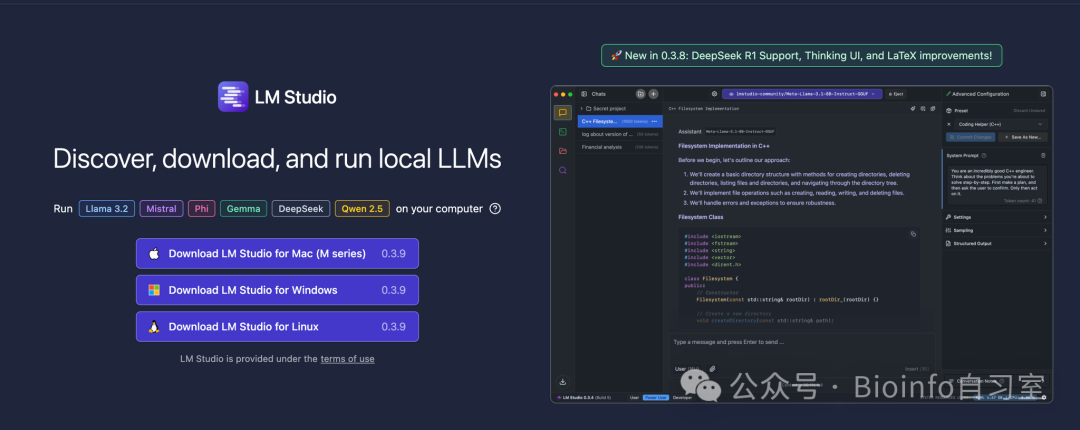
Once installed, open it and click the search 🔍 icon in the left toolbar to explore the rich resources on Hugging Face, the open-source model community. Found a model you like? Just click "Download" in the lower right corner. For example, here we have the DeepSeek R1 distilled into Alibaba's Qwen 7B model. (A common misconception worth clearing up: these smaller DeepSeek models are not DeepSeek R1 itself. Rather, R1 served as the "teacher" model during training, and these are "student" models that learned the teacher's knowledge and reasoning capabilities — in this case, Qwen's 7B model has acquired R1's reasoning skills through knowledge distillation.)
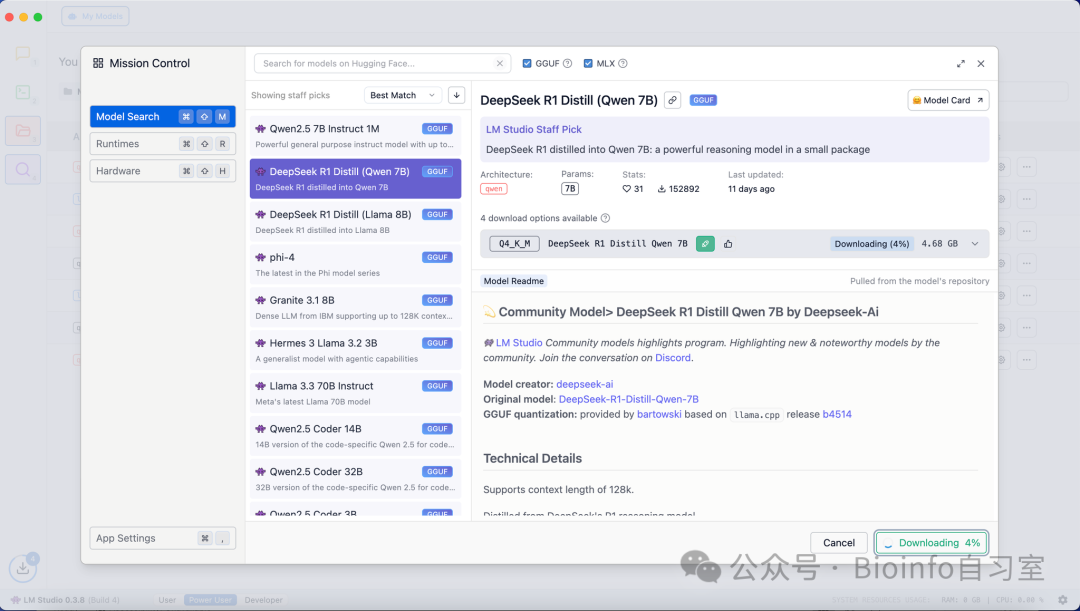 For Apple Silicon Macs, there are two common model formats: GGUF and MLX. MLX is based on Apple's own machine learning framework, so it tends to offer better performance and optimization on Apple hardware — but not all models are available in this format. GGUF is the universal format with a wider selection. Note that the underlying model weights and parameters are identical regardless of format.
After the model finishes downloading, you can click "Load Model" in the popup to load it immediately, or click the chat 💬 icon in the left toolbar and select the model you want to load from the conversation interface. From here, usage is the same as any web-based chat interface. 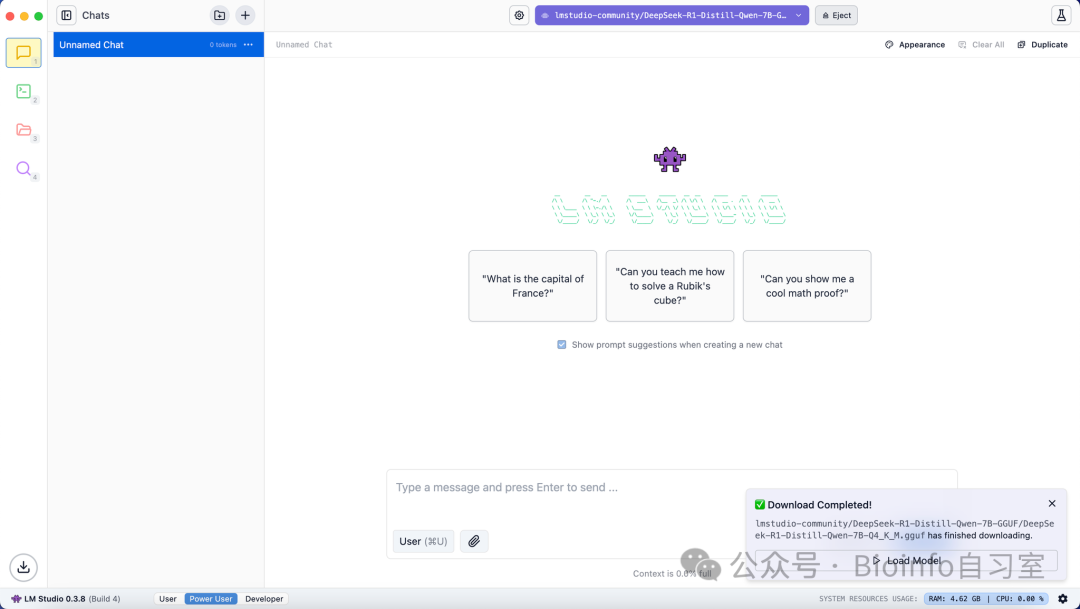
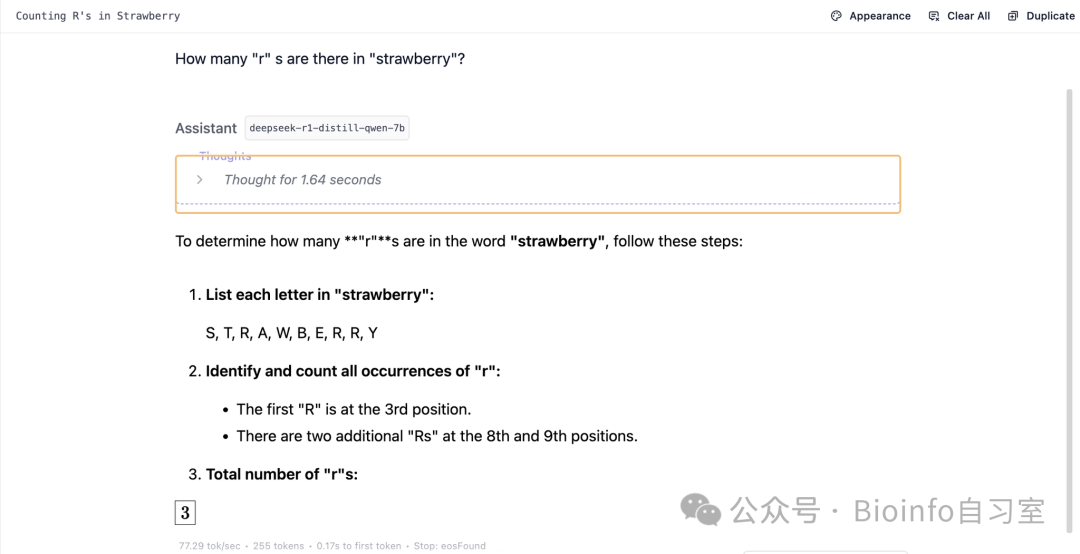
Let's try the classic "strawberry" puzzle: it answered in 5 seconds — and got it right!
 Don't forget to claim the red envelope (lucky gift) that Bioinfo Study Room has prepared for everyone!
End

LikeShareWatchingLeave a comment
Originally posted on WeChat Official Account: bioinfo_studyroom